Python is the lingua franca of data analysis, and AI is rapidly automating the work of writing and running it. From generating pandas code to building entire analysis workflows, AI tools for automating Python data analysis pipelines are changing how analysts and data scientists work. This guide surveys the categories of tools, explains how to use them safely, and looks at the best AI agents for data analysis automation pipelines in 2026.
Why automate Python data analysis pipelines?
A typical analysis pipeline in Python involves loading data, cleaning it, transforming it, analysing it and visualising the result — much of it repetitive boilerplate. AI excels at exactly this kind of well-specified, pattern-heavy work, freeing analysts to focus on the questions that actually require judgement. The same discipline that governs a production AI data pipeline applies here: automation is only useful if its output is correct and reproducible.
Categories of AI tools for Python data analysis
AI coding assistants
Assistants embedded in editors and notebooks generate Python from natural language, complete pandas and NumPy code, explain unfamiliar code and suggest fixes. They are the most mature category and the easiest place to start.
Conversational data analysis
Tools that let you ask questions of a dataset in plain language and generate the Python to answer them, returning charts and tables. They lower the barrier for non-programmers but require care: an answer that looks right can rest on a subtly wrong query.
Automated EDA and feature engineering
Libraries and services that automatically profile a dataset, surface correlations and anomalies, and propose features — accelerating the exploratory phase that precedes modelling.
Agentic data analysis
The frontier: an agentic AI pipeline that takes an analysis goal, writes and runs code iteratively, inspects results, and refines its approach — effectively an autonomous analyst. The best AI agents for data analysis automation pipelines in 2026 focus on bounded, verifiable tasks and show their working so a human can check it.
From notebook to production pipeline
AI makes it easy to generate analysis code, but a notebook is not a pipeline. To put automated Python analysis into production you still need scheduling, dependency management, idempotency, testing and monitoring. This is the gap between a one-off script and a reliable workflow — and where AI pipeline automation tools and orchestration come in. Treat AI-generated analysis code as you would any code: review it, test it, version it, and run it on a proper orchestration layer.
Using AI analysis tools safely
- Verify the logic, not just the output. AI-generated queries can be confidently wrong.
- Check data assumptions — joins, filters, null handling — that AI may get subtly wrong.
- Version and test generated code before it runs on real data.
- Mind data privacy when sending data or schemas to external AI services.
- Keep humans accountable for conclusions, especially when they drive decisions.
The Python data analysis stack AI plugs into
AI tools do not operate in a vacuum; they generate and orchestrate the familiar Python data stack. Understanding that stack helps you judge what AI is actually doing:
- pandas and Polars for dataframes — the workhorses AI assistants most often write for you.
- NumPy and SciPy for numerical and statistical work.
- scikit-learn for classical modelling.
- matplotlib, seaborn and Plotly for visualisation.
- Jupyter notebooks as the interactive environment where much of this comes together.
When an AI assistant “analyses your data”, it is generating code against these libraries. That is reassuring — the output is inspectable, standard Python — but it also means the same correctness concerns apply: a wrong join in generated pandas is just as wrong as one you wrote yourself.
A realistic workflow with AI assistance
In practice, a productive AI-assisted analysis workflow looks like a tight loop of generation and review. You describe the question in plain language; the assistant proposes code; you read it, sanity-check the assumptions, and run it; you inspect the result and iterate. The speed-up is real — minutes instead of an afternoon for routine work — but the human stays in the loop at every step, because the cost of an unnoticed error compounds as the analysis builds on itself. The most effective analysts treat the AI as a fast, tireless junior who needs their work checked, not as an oracle.
From exploration to a scheduled pipeline
The moment an ad-hoc analysis becomes something people rely on regularly, it needs to graduate from a notebook into a real pipeline. That means extracting the logic into tested, version-controlled modules; parameterising it so it runs on new data; scheduling it; adding data-quality checks; and monitoring it for failures. AI can help with each of these steps — generating tests, refactoring notebook code into functions — but the discipline is the same one that governs any AI data pipeline. Skipping this graduation is how organisations end up with business-critical analyses that only run on one person’s laptop.
How Orchestra fits
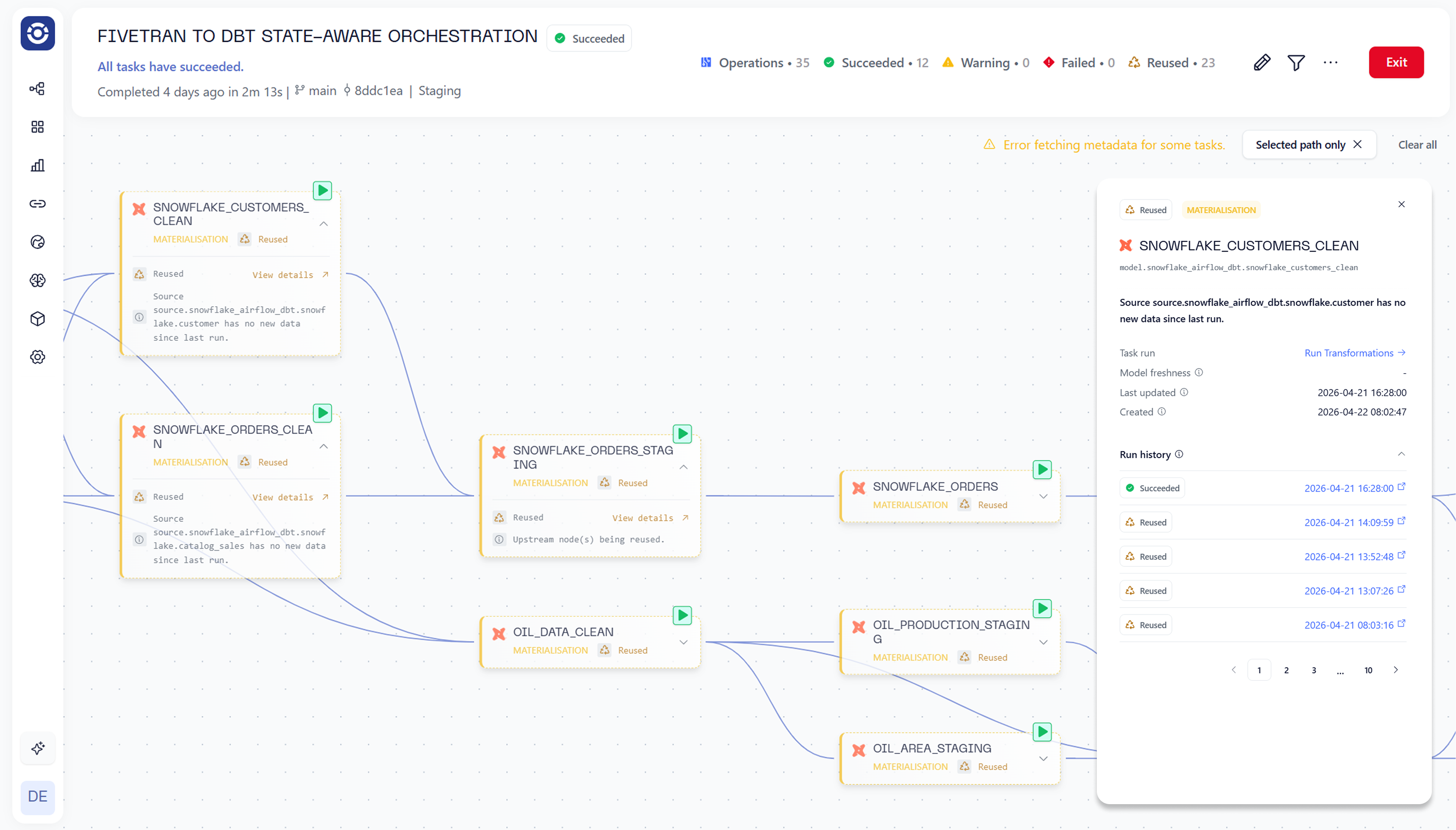
Orchestra turns AI-generated Python analysis into reliable production pipelines, handling scheduling, dependencies, retries, lineage and monitoring. You get the speed of AI-assisted analysis with the reliability and governance of a real AI pipeline, rather than a notebook that works on someone else’s laptop.
AI tools by category
The ecosystem of AI tools for Python data analysis is large, but it organises into a few clear categories that you can mix and match:
- In-editor and in-notebook assistants that complete and generate Python as you type — the everyday workhorses for analysts and data scientists.
- Chat-based analysis tools that take a dataset and a question in natural language and return code, tables and charts.
- Automated EDA and AutoML libraries that profile data, surface relationships and even fit baseline models with minimal code.
- Agentic analysis platforms that pursue an analysis goal autonomously, writing and running code in a loop.
The right mix depends on your team’s skill level and risk tolerance: assistants suit experienced engineers who want to move faster, while chat-based tools open analysis to less technical users — with a correspondingly greater need to verify the logic.
Privacy and security when using AI on data
Sending data or even just schemas to an external AI service has real privacy implications that are easy to overlook in the rush to be productive. Before pointing an AI tool at a dataset, ask where the data goes, whether it is retained or used for training, and whether that is compatible with your obligations around personal and regulated data. Mitigations include using tools that run locally or within your own cloud boundary, sending schemas and samples rather than full sensitive datasets, masking or synthesising sensitive fields, and applying the same data classification and access controls you would for any other consumer of the data. The convenience of AI analysis is not worth a data-protection incident, and treating these tools as just another data consumer — subject to the same governance — keeps you safe.
The analyst’s evolving skill set
As AI absorbs more of the mechanical work of writing analysis code, the skills that distinguish a good analyst shift rather than disappear. Knowing how to ask the right question, framing a problem so it can be answered with data, and critically evaluating whether an answer is trustworthy all become more valuable, not less. So does the judgement to spot when AI-generated logic rests on a flawed assumption — a skill that requires understanding the underlying statistics and the data’s quirks. The analysts who thrive in an AI-assisted world are not those who resist the tools, nor those who trust them blindly, but those who use them to move faster while staying firmly accountable for the conclusions. The craft moves up the stack, from writing code to directing and verifying it.
When to reach for AI — and when not to
AI is not the right tool for every analysis task, and knowing the difference saves time and avoids errors. Reach for AI on the work it does best: generating boilerplate data-loading and cleaning code, completing familiar pandas and plotting patterns, explaining unfamiliar code, scaffolding exploratory analysis, and accelerating well-specified, repetitive tasks. Be more cautious where judgement and context dominate: analyses that drive high-stakes decisions, work involving sensitive or regulated data, problems where a subtle wrong assumption would be costly and hard to spot, and situations requiring deep domain knowledge the model lacks. In those cases AI can still assist, but the human must stay firmly in control and verify every step. The unifying principle is to use AI to amplify a competent analyst, not to substitute for analytical thinking. A good rule of thumb: if you could not check whether the AI’s answer is correct, you are not ready to rely on it for that task. And the moment an AI-assisted analysis graduates from a one-off into something the business depends on, treat it like any other production workload — tested, versioned, scheduled and monitored on a real AI data pipeline rather than left in a notebook.
Conclusion
AI tools for automating Python data analysis pipelines can dramatically accelerate analysts — from coding assistants to autonomous agents — provided you verify their logic and put their output on a proper pipeline. Use AI to remove the boilerplate, keep humans accountable for the conclusions, and lean on orchestration to make automated analysis production-grade.